Make a classroom card game from your own pictures
Faces from your class, the children’s own drawings, or the minibeasts, planets and fruit from this term’s topic – all on round cards, where any two cards share exactly one picture. Find it first and say it out loud. Start from our classroom symbols, swap in your pictures, and print the deck for a table group, a whole class or the kitchen table at home.
Start with classroom symbols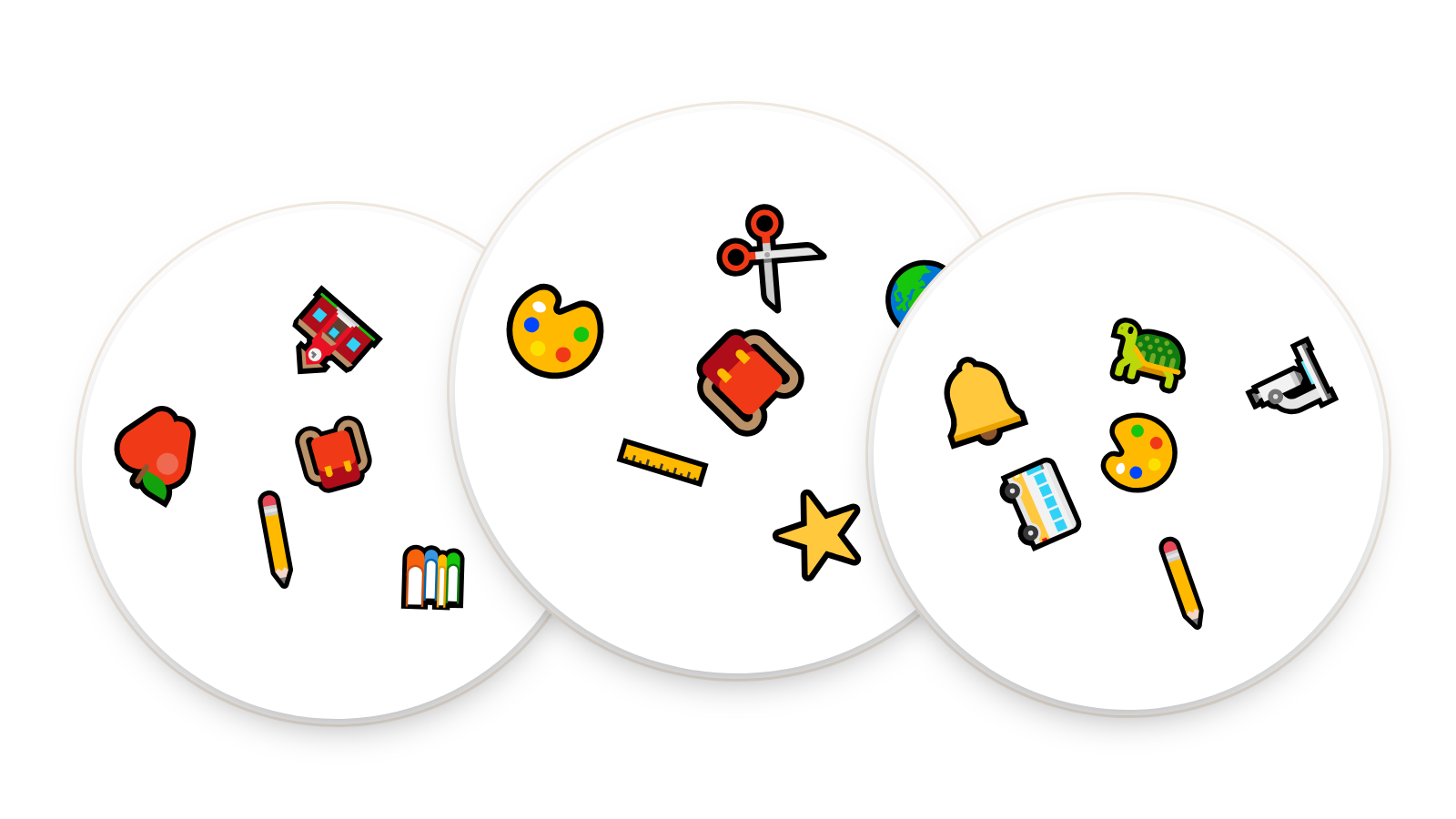
Why a matching game works in a classroom
The rules take ten seconds and need no reading: turn over two cards, find the one picture they have in common, name it first. Four- and five-year-olds can play, a mixed table group can play together, and a round is short enough for the last five minutes before lunch, wet play or a carpet-time warm-up.
Because you choose every picture, the deck can be about anything the class is doing this half term. And because a deck is a PDF, you can print one for every table and another when a card goes missing behind the radiator.
Three ways to use it
- A deck of your class: one photo of each child (and the adults in the room) on the cards. In the first weeks of term, children say each other’s names out loud every time they find a match. At the end of the year, print a copy for every child to take home as a class gift. Use pupils’ photos only with parents’ consent and in line with your school’s policy.
- A deck for this term’s topic: animals, minibeasts, fruit and vegetables, shapes, space, weather, transport, the seasons. Start from our symbols, swap in pictures from your topic, and children name each one as they play. Home educators can make a new deck each time the topic changes.
- A deck the children make themselves: each child draws one picture, you scan or photograph the drawings, and the deck is theirs. With 31 cards, a class of up to 30 plus the teacher gets one picture each. Children look for their own drawing in every round – and every two cards share exactly one picture, so the maths works out.
How to make it
- 1
Open the editor with classroom symbols
The button on this page loads 31 classroom symbols – a school bag, pencil, books, an apple, crayons, scissors, a globe, minibeasts and a dinosaur – into a 31-card deck with 6 pictures per card. For reception and nursery, choose 13 cards with 4 big pictures each (free); for older children, 55 cards with 8 pictures each.
- 2
Swap in your pictures
Drag in class photos, scanned drawings or pictures for your topic to replace any symbol. One click removes the background, so a face or a drawing sits neatly on the card.
- 3
Arrange the cards
The deck is worked out for you: any two cards always share exactly one picture. Resize and rotate pictures, or swap them between cards, until it looks right.
- 4
Pick a card back
Use your class colour, a gradient, or upload your own picture – the class name painted by the children, the school badge if your school allows it, or a class photo.
- 5
Download and print
Download a print-ready PDF for A4 or US Letter paper and print on the school printer, at home or at a print shop. Print as many copies as you need: one deck per table group is a good start.
Symbol ideas for a classroom deck
Pick pictures that look different from each other at a glance: a pencil, a ladybird and a rocket are easier to tell apart than five kinds of beetle. For a topic deck, mix the topic pictures with a few classroom ones.
- School bag
- Pencil
- Books
- Apple
- Crayon
- School building
- Paint palette
- Ruler
- Scissors
- Globe
- Star
- Microscope
- Jigsaw piece
- Magnet
- Paintbrush
- Paper clip
- School bell
- Alarm clock
- Abacus
- Musical note
- Football
- School bus
- Rainbow
- Butterfly
- Sunflower
- Ladybird
- Tortoise
- Dinosaur
- Rocket
- Test tube
- Sandwich from the lunchbox
- Dog
- Cat
- Rabbit
- Frog
- Lion
- Elephant
- Penguin
- Bee
- Banana
- Strawberry
- Carrot
- Juice carton
- Sun
- Moon
- Umbrella
- Snowflake
- Tree
- Autumn leaf
- Bicycle
- Train
- Guitar
- Drum
- Basketball
- Theatre masks
- Light bulb
- Teddy bear
Picture ideas
Faces are the most fun, but a row of school photos in the same jumper starts to look alike. Crop close, use bright backgrounds, and mix faces with drawings and objects so every picture stands out.
- One photo of each child, and of the teacher, teaching assistant and the class pet
- Each child’s self-portrait or drawing of their favourite thing, scanned or photographed flat
- Pictures for this term’s topic: minibeasts from the school garden, the planets, fruit from the tasting table
- The children’s models, paintings or clay animals, photographed on a white sheet of paper
- Places around the school: the front door, the reading corner, the climbing frame, the vegetable patch
- Shapes cut from coloured card, or objects of one colour for a colour deck
- Things from a school trip: the farm animals, the museum dinosaur, the castle
- Photos of your own picture cards or a child’s writing, if you want a few words in the deck
- For home education: things around the house and garden, the family pets, places you visit together
- For the end of the year: moments from the year – sports day, the class assembly, the nativity, the trip
Ways to play in class
The core rule never changes: find the one picture two cards share and name it first. These variations suit a table group, the carpet or a whole class.
Name it to keep it
Two children turn over a card each at the same moment. The first to name the shared picture – the child’s name, the animal, the shape – keeps both cards. Swap partners when the pile runs out.
Carpet time
Hold up two cards in front of the class. Hands up for the match, or everyone whispers it to the person next to them. With the 13-card deck and 4 big pictures per card, it works from the back of the carpet.
Pile up
Deal all the cards out, one face-up card in the middle. Match your top card to the middle card, name the picture and put your card on top. First to empty their pile wins.
Take turns, no racing
Turn two cards over and take turns to find the match, so quieter children get their go. Each child names the picture and passes the cards on.
Tell us about it
For a class deck or a deck of drawings: when you name a match, the child in the photo or the artist of the drawing says one thing about it. Good for the first week, a circle time or the last afternoon of the year.
Table tournament
Each table group has its own deck. Play for three minutes; the player with the most cards moves to the next table. Repeat until everyone has met a new group.
Printing your deck
Choose the deck size by the age of the children. 13 cards with 4 big pictures each suits nursery and reception, and is a free way to try it. 31 cards with 6 pictures each fits most primary classes – and a class of up to 30 plus the teacher. 55 or 57 cards with 8 pictures each is the full-size game for older children; 55 is the usual count in boxed matching games and leaves the two spare cards out.
Each deck downloads as a PDF laid out for A4 or US Letter paper. Once you have the PDF, print as many copies as you need: one for each table, a spare for the supply box, and one for every child at the end of the year.
- Paper: 300 gsm card stock is sturdy enough for small hands; matt card hides fingerprints.
- Laminating: cut the cards out, laminate them and trim with a small border, and they survive wet play and glue sticks.
- Size: cards are round and you set the diameter in the editor, from 40 to 100 mm. 85 mm is the size of the best-known matching games; 90–100 mm gives bigger pictures for younger children.
- Cutting: a circle paper punch in your card size gives clean edges in seconds, and older children can do the punching.
- Double-sided: each page of card backs follows its page of fronts, mirrored for printing on both sides. Print the single test card first to check your printer lines them up.
- Storage: a zip bag or a small tin per table, with the table colour on the card backs so the decks don’t get mixed up.
MatchedCards compared with Dobble and Spot It!
If your class has played Dobble or Spot It!, a deck of your own plays the same way: any two cards share exactly one picture. Here is what is different.
| MatchedCards | Dobble and Spot It! | |
|---|---|---|
| Pictures | Class photos, children’s drawings, topic pictures and any symbols you choose | The illustrations printed by the publisher |
| Number of cards | 13, 31, 55 or 57 | 55 in the standard game |
| Pictures per card | 4, 6 or 8, card size up to 100 mm | 8 pictures per card |
| Copies | A PDF you print as many times as you need | One boxed game per box |
| Price | Free for 13 cards, from $6.20 for larger decks | Retail price of the boxed game |
Start your classroom deck
The editor opens with 31 classroom symbols in a 31-card deck – room for one picture of each child in a class of up to 30, plus you. Swap in your pictures, download the PDF and print a deck for every table.
Start with classroom symbolsQuestions
How much does it cost?
A 13-card deck is free. Bigger decks are a one-time payment: $6.20 for 31 cards, $11.00 for 55 cards and $11.40 for 57 cards. You only pay when you download a deck larger than 13 cards.
Can I print a copy for every table or every child?
Yes. You get a PDF and print it yourself, on the school printer, at home or at a print shop, as many times as you need. Nothing is posted.
Which deck size suits which age?
For nursery and reception, the 13-card deck: 4 big pictures per card and a slower game. For most primary classes, the 31-card deck with 6 pictures per card. For older children who want a harder game, 55 or 57 cards with 8 pictures each.
Can I use photos of my pupils?
Only with parents’ consent and in line with your school’s policy on photos of children. A deck of the children’s own drawings needs no photos at all.
Can I put words, letters or numbers on the cards?
The editor works with pictures, so it does not set text for you. You can upload a photo or scan of your own word or number card as one of the pictures, but a deck made mostly of text is harder to play, because the pictures look alike.
How many pictures do I need?
A 13-card deck uses 13 pictures, a 31-card deck uses 31, and the 55- and 57-card decks use 57. Start from the classroom symbols and replace as many as you like: a handful of class photos among pencils and ladybirds works as well as a deck of photos only.
Is this the official Dobble or Spot It! game?
No. MatchedCards is an independent alternative to Dobble and Spot It!: it uses the same kind of matching mechanic, but the deck, the pictures and the rules variations here are your own.
Dobble and Spot It! are trademarks of Asmodee Group. MatchedCards is not affiliated with or endorsed by Asmodee.